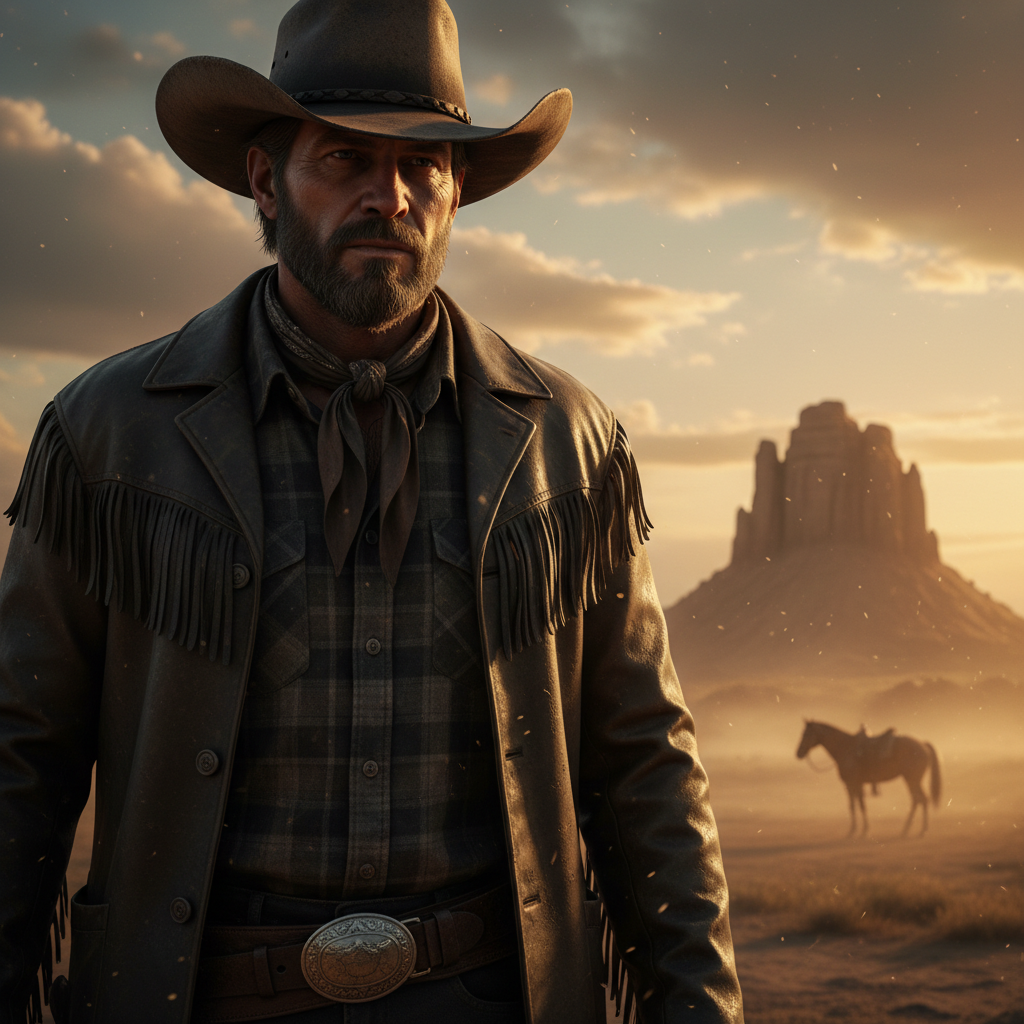
Use Nano Banana AI to edit photos, transform images, change backgrounds, preserve character details, and create new visuals with natural-language prompts. Upload a reference image or describe what you want to create, then use AI to generate, edit, and refine your visual content.
What is Nano Banana AI?
Nano Banana AI is an AI image generation and editing model available on Himg AI. It can interpret natural-language instructions to create new images and transform existing photos, including changes to backgrounds, objects, styles, expressions, lighting, and other visual details. On Himg AI, Nano Banana can be used for text-to-image and image-to-image workflows, including reference-based editing and creative image transformation.
Create and Edit Images with Natural-Language Prompts
Describe the result you want in everyday language, then upload a reference image when you need guided editing. Change backgrounds, styles, objects, lighting, expressions, and other visual details while keeping the workflow simple. For Image to Image tasks, important characteristics from the source image can be preserved while applying the requested transformation. You can also start creative concepts with Text to Image AI.
Maintain Character Consistency Across AI Edits
Use reference images to help preserve important character details across different edits and transformations. Nano Banana is designed to help preserve important visual characteristics from reference images across supported editing workflows, including recognizable facial features, clothing, visual identity, and other key details while changing scenes, styles, poses, or backgrounds.
Create 3D Figurine Images with Nano Banana AI
Transform photos or character references into stylized 3D figurine concepts. Use detailed prompts to control the character, pose, materials, scene, lighting, and overall visual style.
What Can You Do with Nano Banana AI?
Change Photo Backgrounds
Replace or transform image backgrounds using natural-language editing instructions.
Edit Facial Expressions
Modify supported facial expressions and visual details while preserving the overall identity of the subject.
Create AI Headshots
Transform reference photos into polished headshot-style images for supported creative workflows.
Turn Photos into Anime
Transform photos and character references into anime-inspired visual styles.
Create Polaroid-Style Photos
Turn existing images into retro, instant-photo-inspired visuals using AI editing prompts.
Prepare Images for AI Video
Create or refine source images that can be used in supported image-to-video workflows.
How to Write Better Nano Banana Prompts
Clear prompts help the model understand what should change and what should stay consistent. Describe the subject, requested edit, visual style, composition, lighting, background, and important details as specifically as needed.
Example 1Replace the background with a modern photography studio while keeping the person, clothing, facial features, and pose consistent.
Example 2Transform this product photo into a premium commercial advertisement with soft studio lighting, a clean background, realistic shadows, and detailed product texture.
Example 3Turn this portrait into an anime-inspired illustration while preserving the hairstyle, facial features, clothing colors, and overall composition.
How to Use Nano Banana AI on Himg AI
1
1. Upload Your Image or Start with a Prompt
Upload a reference image for editing, then enter a text prompt to describe the result you want to create.
2
2. Describe the Result You Want
Write a clear Nano Banana prompt describing the subject, style, background, lighting, composition, or changes you want to make.
3
3. Generate and Review
Start the generation process and review the result produced by the selected model.
4
4. Refine Your Prompt
Adjust your instructions, add more visual details, or modify the prompt to refine the result.
5
5. Download Your Image
Download the final image when you are satisfied with the result.
Why Use Nano Banana AI on Himg AI?
Natural-Language Editing
Describe the visual changes you want using everyday language instead of relying only on traditional editing controls.
Reference Image Support
Use existing images as visual references for supported editing and transformation workflows.
Character Consistency
Preserve important visual characteristics while applying supported changes to scenes, styles, backgrounds, and compositions.
Flexible Image Workflows
Use Nano Banana for supported text-to-image, image-to-image, and creative editing workflows from one interface.
Creative Transformations
Experiment with backgrounds, styles, expressions, objects, environments, and other visual changes through prompt-based editing.
Nano Banana AI Editing Examples
Character Consistency
Keep the subject consistent across edits
Use a reference image and a clear prompt to change scenes or styles while preserving important character details.
Frequently Asked Questions About Nano Banana AI
Answers about Nano Banana AI image editing, photo editing, prompts, and image transformation on Himg AI.
What is Nano Banana AI?
+
Nano Banana AI is an AI image generation and editing model available on Himg AI. It can create and transform images from text prompts and reference images in supported workflows.
What can Nano Banana AI do?
+
Nano Banana AI can be used for supported image generation and editing tasks such as changing backgrounds, transforming styles, modifying visual details, working with reference images, and creating new image variations.
How do I edit a photo with Nano Banana AI?
+
Upload a reference photo, describe the changes you want using a natural-language prompt, generate the result, and refine your instructions if additional adjustments are needed.
Can Nano Banana AI maintain character consistency?
+
Nano Banana can use reference images to help preserve important visual characteristics across supported edits, including facial features, clothing, and other recognizable details. Results can vary depending on the image, prompt, and editing task.
What is the difference between text-to-image and image-to-image with Nano Banana AI?
+
Text-to-image creates visual content primarily from a written prompt, while image-to-image uses an existing image as a reference or starting point for transformation and editing.
How do I write a good Nano Banana prompt?
+
Describe the subject, requested change, visual style, composition, lighting, background, and any details that should remain consistent. Clear and specific instructions generally provide the model with better guidance.
Can I use Nano Banana AI on mobile?
+
Yes. Himg AI works in modern mobile web browsers, so you can use Nano Banana AI workflows from supported phones and tablets without installing a separate app.
Can Nano Banana AI images be used commercially?
+
Commercial use depends on the Himg AI Terms of Service and the applicable model provider terms. Review those terms before using generated or edited images commercially.